
Strategy position
STRATEGIC PLANNING
AI SWOT Analysis Generator for business planning, strategy reviews, and action plans.
Turn a business description into a professional SWOT report with clear strengths, weaknesses, opportunities, threats, management priorities, and a practical 90-day action plan you can save, print, and reuse.
✓ Editable SWOT report
✓ Strategic priorities
✓ 90-day action plan
✓ Workspace saving
✓ Download report
✓ Print / PDF
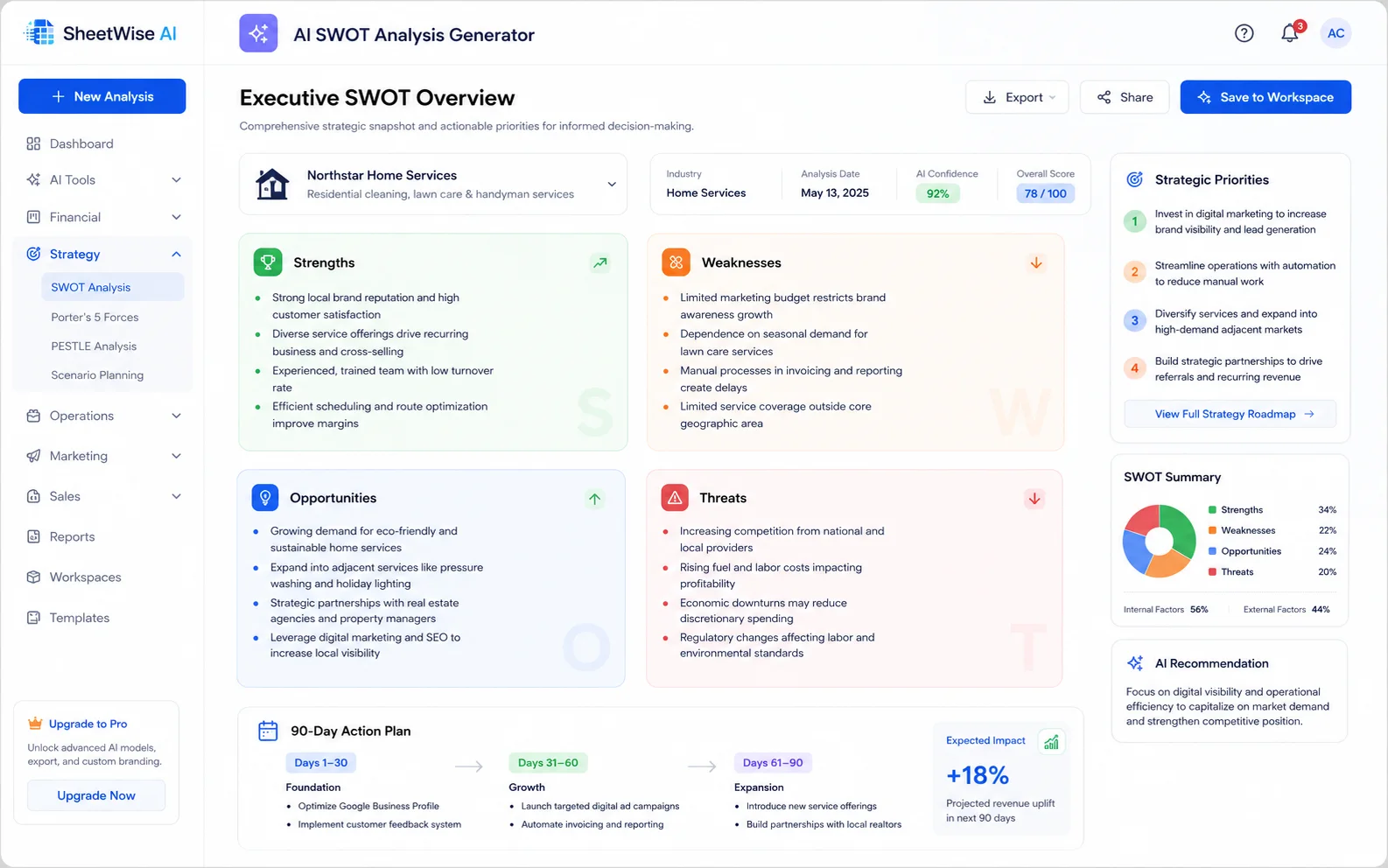
4strategic quadrants
12+editable insights
3management priorities
90-dayaction plan
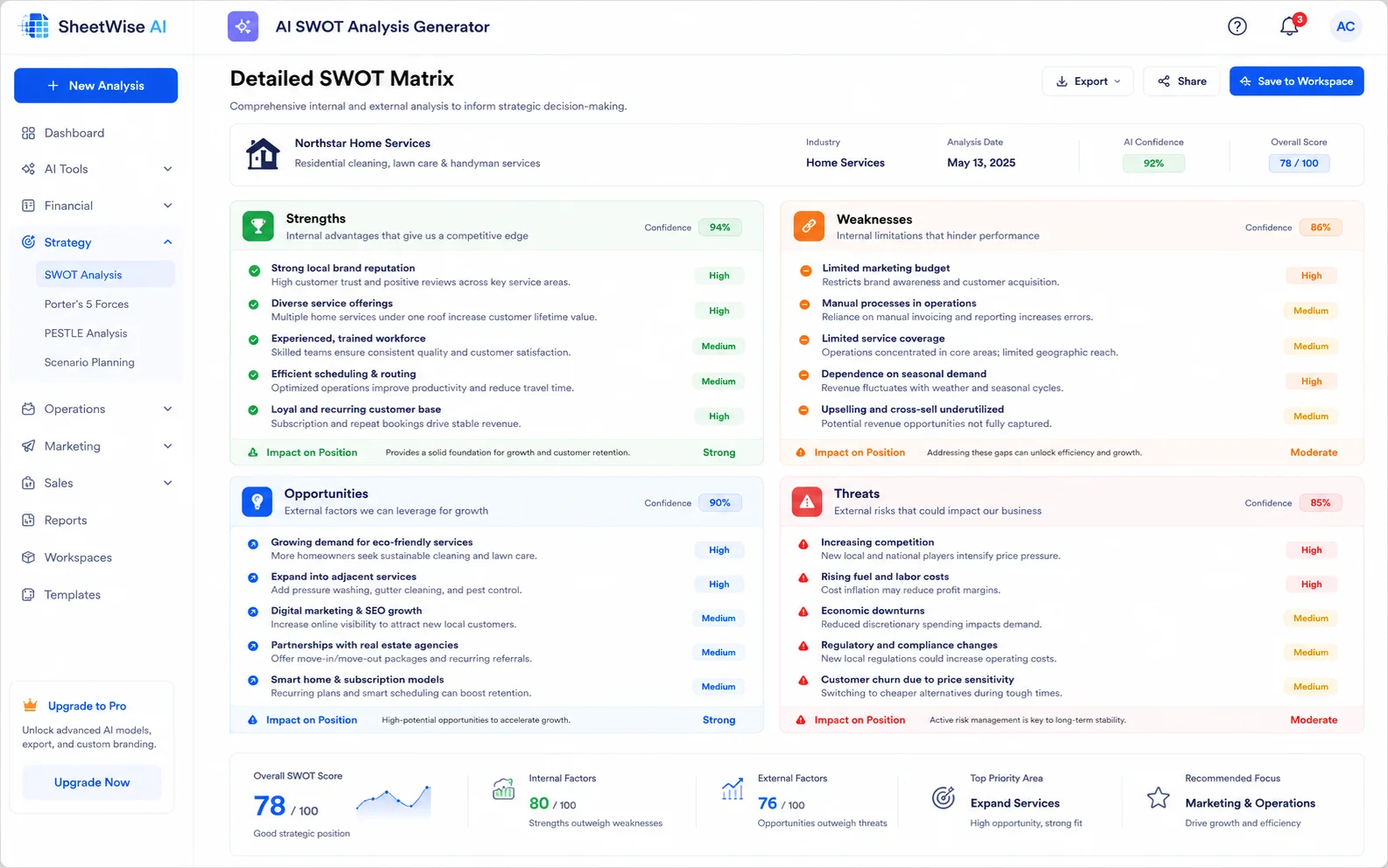
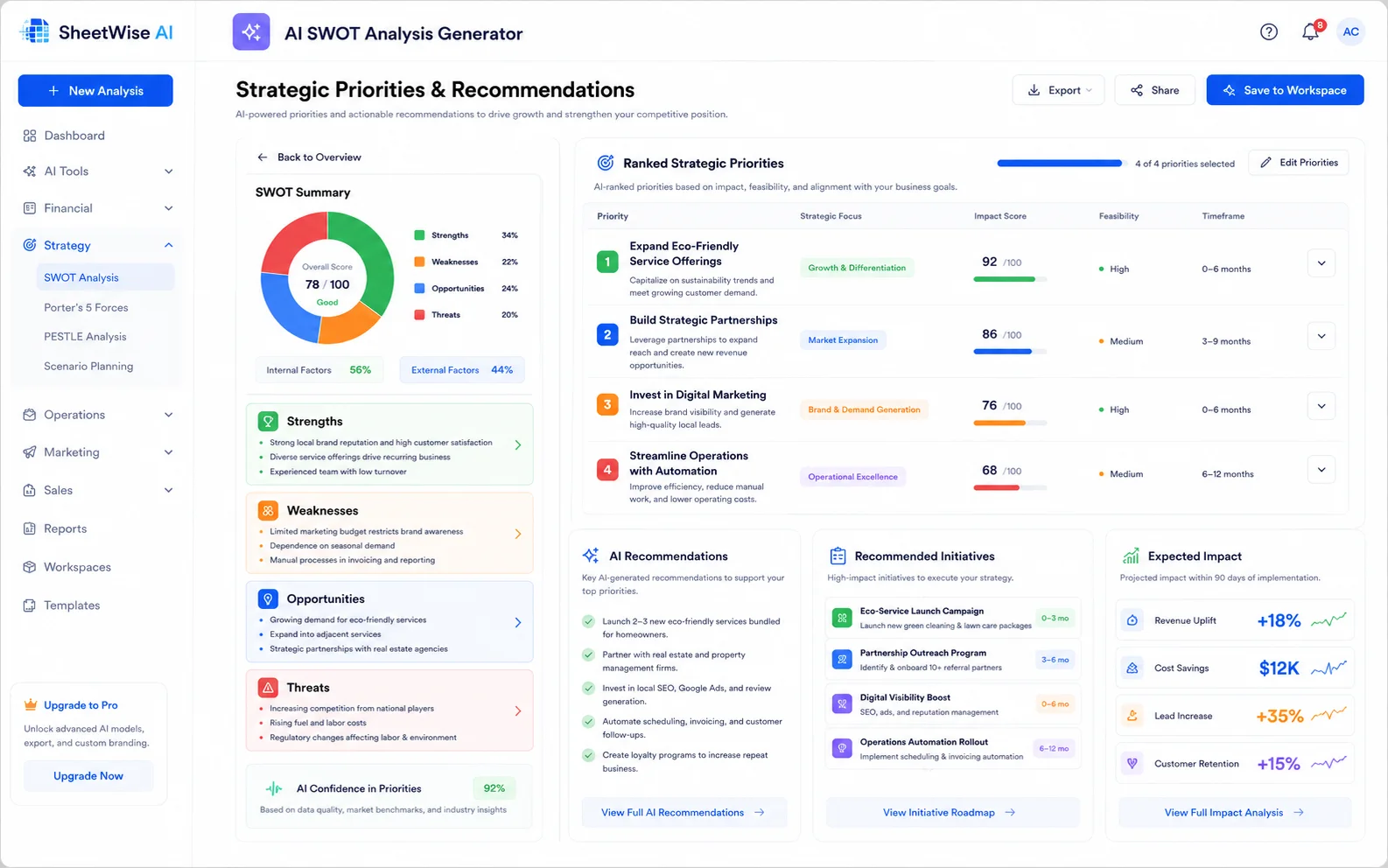
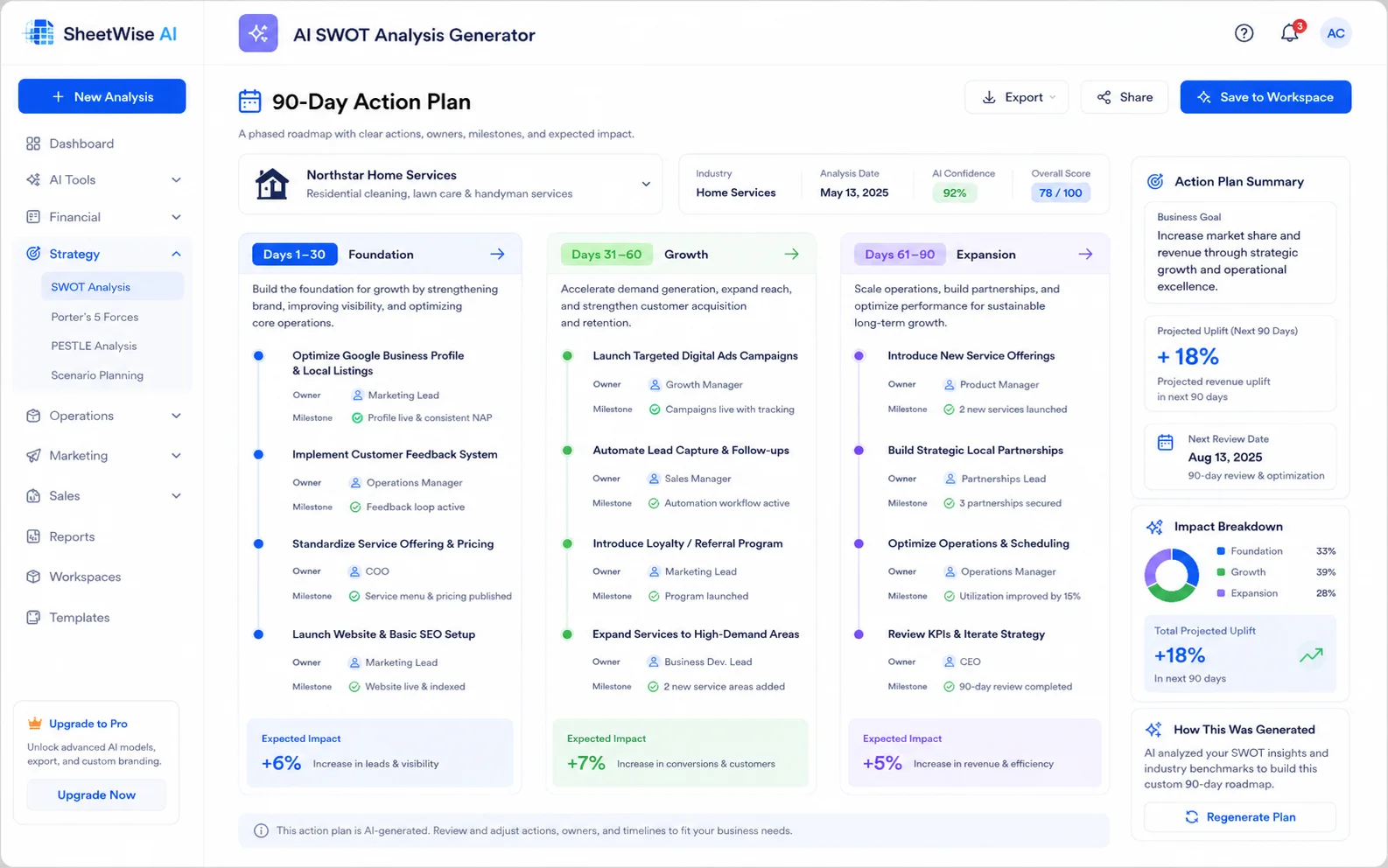
Real visual examples of every major output.
Before entering business details, visitors can see the exact type of strategy report the generator creates: a complete SWOT matrix, ranked priorities, recommendations, and a 90-day action plan.
LIVE GENERATOR
Build a complete business SWOT analysis
Add the facts you know. SheetWise organizes them into a polished strategy document you can review, save, download, and use in planning meetings.
PROFILE COMPLETION
0% ready
Your draft is saved automatically on this device.
SW
Your strategy report will appear here
Complete the business profile or load the realistic example to generate strengths, weaknesses, opportunities, threats, strategic priorities, and a 90-day action plan.
- Professional four-quadrant SWOT structure
- Editable priorities for leadership review
- 90-day action plan ready for meetings
ADVANCED STRATEGY DASHBOARD
Strengths compared with weaknesses
Opportunities compared with threats
Input depth and action clarity
RANKED STRATEGIC PRIORITIES
Calculated from factor balance, urgency, and input detailWhat management should address first
Directional estimates only. Actual results depend on execution and business conditions.
90-DAY ACTION PLAN
A phased roadmap from analysis to execution
Analysis savedYour advanced SWOT dashboard is available in Workspace.
Open saved analysis →
From business context to an actionable strategy in five clear steps.
The page now explains the full workflow visually and practically, so visitors understand both the input and the final result.
Describe the business
Enter the offer, customers, goals, advantages, challenges, and market context.
Generate the SWOT
Create strengths, weaknesses, opportunities, and threats in a structured report.
Review the priorities
See where management should focus first based on the generated analysis.
Use the 90-day plan
Translate analysis into concrete next steps for the next quarter.
Save, print, or download
Store the report in Workspace, export the text report, or create a PDF for meetings.
Useful for decisions across the company lifecycle.
Use the generator for planning, market positioning, internal strategy, and investor-facing preparation.
Validate a new idea
Clarify differentiation, resource gaps, market openings, and launch risks before investing more time and budget.
Plan the next growth stage
Identify what to protect, what to improve, and where to invest next as the business expands.
Build campaign strategy
Connect brand advantages and audience needs to channels, opportunities, and competitive threats.
Prepare a planning session
Create a structured starting point for quarterly reviews, executive updates, and management workshops.
Examples of businesses that fit this tool well.
Show visitors concrete scenarios so they can recognize their own use case quickly.
Home services company
Review retention, labor capacity, service-area expansion, and pressure from larger franchises.
Online retail business
Analyze product differentiation, repeat purchases, logistics weaknesses, and shifting ad performance.
Subscription software startup
Map product strengths, churn risks, new market opportunities, and competition in a crowded space.
Professional services firm
Evaluate reputation, pipeline quality, pricing power, delivery capacity, and partnership opportunities.
More useful than a blank page or a static SWOT template.
Collect scattered notes and try to organize them yourself
Traditional SWOT work often starts in an empty document, makes collaboration inconsistent, and usually stops at observations instead of turning into action.
Get a clear structure, priorities, and a practical action plan
SheetWise creates a professional report format immediately, helps turn observations into direction, and lets you save, print, and reuse the result.
Common questions about SWOT analysis.
What is a SWOT analysis?
A SWOT analysis organizes internal strengths and weaknesses together with external opportunities and threats so management can make clearer strategic decisions.
Who is this tool for?
It is useful for founders, small businesses, agency owners, consultants, operations teams, and managers preparing strategy reviews or planning sessions.
What information should I provide?
Describe the company, offer, target customer, market, goals, advantages, challenges, and major competitors or market changes.
Can I edit the generated analysis?
Yes. Every generated point can be edited directly before saving, downloading, or printing.
Can I save the analysis?
Yes. Save it to Workspace, reopen it later, download a text report, or use Print / PDF.
What do I get besides the four SWOT blocks?
You also receive strategic priorities and a 90-day action plan so the analysis turns into a practical next-step document.