
ESTIMATES & SALES DOCUMENTS
Estimate & Quote Generator
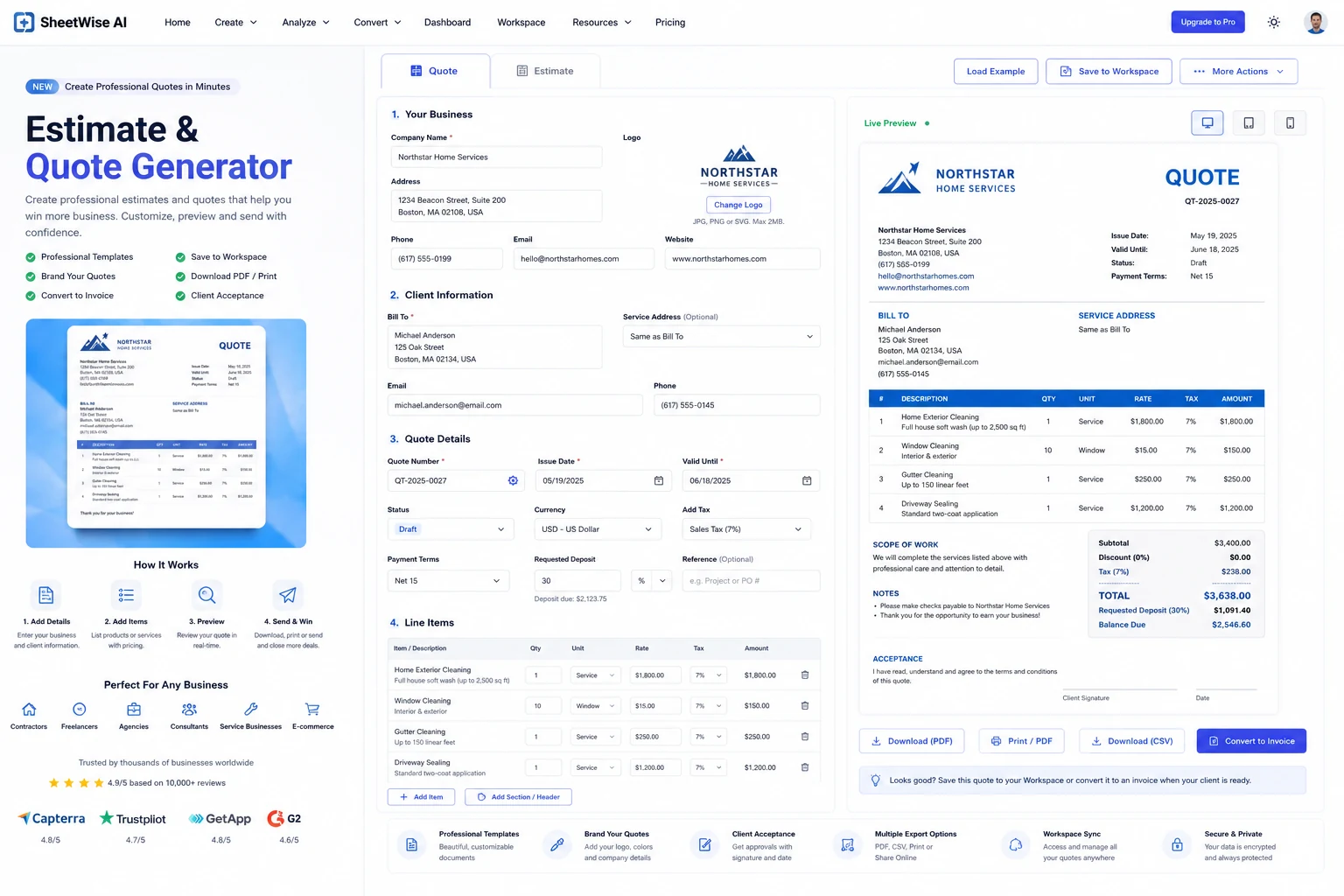
Create polished estimates and formal quotes with line items, tax, discounts, deposit requests, validity dates, client terms, Workspace saving, and one-click conversion to an invoice.
✓ Live totals✓ Client-ready preview✓ Convert to Invoice✓ Save to Workspace✓ Print / PDF
LIVE GENERATOR
Build a professional estimate or quote
Enter business and client details, add services or products, and review the finished document in real time.
From pricing details to a client-ready document in four steps.
Add business and client details
Set the quote number, validity date, currency, contact details, and status.
Build the price
Add products or services with quantity, unit rate, tax, discount, and deposit requirements.
Review the live quote
Check the scope, totals, payment terms, notes, and client acceptance section.
Send or continue the workflow
Print to PDF, save to Workspace, download pricing, or convert the accepted quote to an invoice.
Built for businesses that need to price work before getting paid.
Contractors
Labor, materials, options, deposits, and project validity.
Service businesses
Cleaning, repair, landscaping, driving lessons, and professional services.
Agencies and freelancers
Projects, retainers, deliverables, packages, and approval-ready pricing.
Product sellers
Item quantities, unit rates, tax, discounts, and customer acceptance.
Questions about estimates and quotes.
What is the difference between an estimate and a quote?
An estimate is an approximate price that may change after the scope is confirmed. A quote is a more formal offer with defined items, pricing, validity, and terms.
Can I convert a quote into an invoice?
Yes. The generator transfers the business, client, line items, taxes, discounts, and notes into the existing SheetWise Invoice Generator.
Can I add tax, discounts, fees, units, and a deposit?
Yes. Add item-level tax, units, a quote discount, a requested deposit percentage, detailed descriptions, and payment terms. Totals update immediately.
Can I brand the quote?
Yes. Upload a company logo and choose a document accent color for the live preview and printed PDF.
Can I save and reopen quotes?
Yes. Signed-in users can save quotes to Workspace and reopen them later with the full data restored.
Can I print or download a PDF?
Yes. Use Print / PDF to produce a client-ready document from the live preview.