
BUSINESS PLANNING
AI Business Plan Generator
Create a professional, investor-ready business plan with editable strategy sections, funding requirements, financial projections, milestones, risks, and a polished printable document.
✓ 16 plan sections✓ 12 / 24 / 36 months✓ Financial projections✓ Editable document✓ Workspace saving✓ DOCX & PDF
16business plan sections
3planning horizons
5financial metrics
Readyfor review and funding discussions
PROFESSIONAL BUILDER
Build the complete plan in one guided workspace
Enter the business facts and financial assumptions. SheetWise organizes them into a professional, editable document.
BP
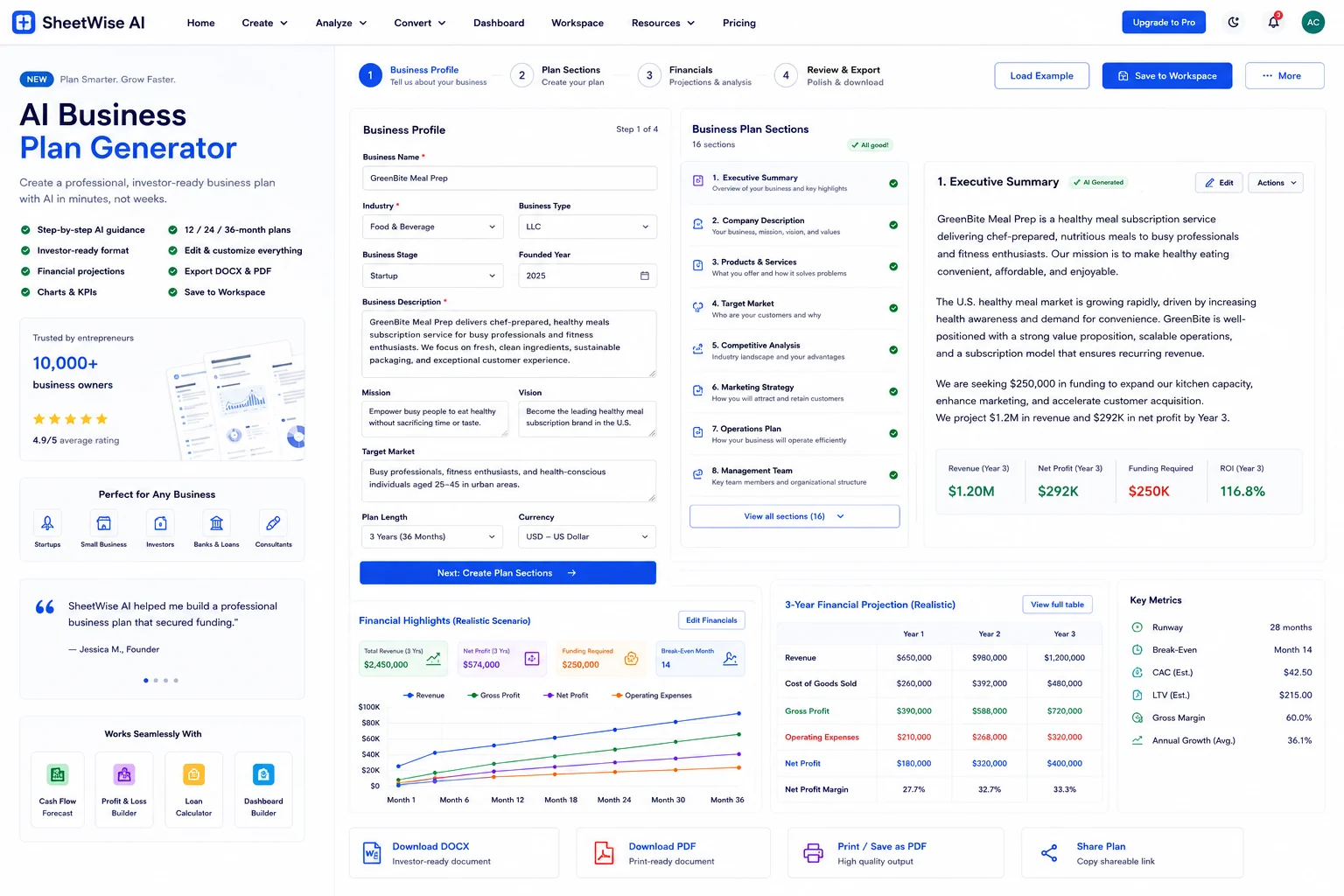
Your complete business plan will appear here
Load the realistic example or complete the guided fields to create strategy sections, financial projections, milestones, funding analysis, and a print-ready plan.
- Executive and company overview
- Marketing, operations, and management plans
- 12 / 24 / 36-month financial projection
- Funding request, break-even, milestones, and risks
BUSINESS PLAN
Professional draftFinancial projection
Projection summary
Milestones
Business plan savedOpen saved plan →
A business plan that combines strategy and numbers.
Visitors can see the complete output before they begin: a structured narrative, investor-style metrics, projections, milestones, funding needs, and risk planning.
From business idea to professional plan in four stages.
Describe the business
Enter the company, market, products, mission, vision, and competitive position.
Define the operating strategy
Add marketing, sales, staffing, suppliers, systems, and management responsibilities.
Build the financial model
Set funding, costs, revenue, growth, margins, and the planning horizon.
Edit and export
Review every section, save to Workspace, download a DOCX document, or print to PDF.
Useful from startup planning to expansion and funding.
Startup launch
Organize the business model, market, startup costs, milestones, and funding request.
Bank or lender preparation
Create a clear narrative and financial projection to support funding discussions.
Investor presentation
Explain growth, margins, competitive advantages, use of funds, and execution milestones.
Existing business expansion
Model a new location, product line, team, or market with updated operating assumptions.
Questions about business plan generation.
What does the business plan include?
The generated plan includes an executive summary, company description, products and services, target market, competitive analysis, marketing, operations, management, funding request, financial projections, milestones, and risk mitigation.
Can I edit the generated plan?
Yes. Every major section is editable directly in the plan preview before saving or exporting.
Does it include financial projections?
Yes. Choose a 12, 24, or 36-month horizon and generate revenue, cost, gross profit, operating expense, and net profit projections.
Can I save the plan?
Yes. Save it to Workspace, reopen it later, download a DOCX document, or use Print / PDF.
Is this legal or financial advice?
No. The generator creates planning estimates from the information you provide. Review important assumptions with qualified legal, tax, and financial professionals.